Free broken link checker
Introduction to Broken Links
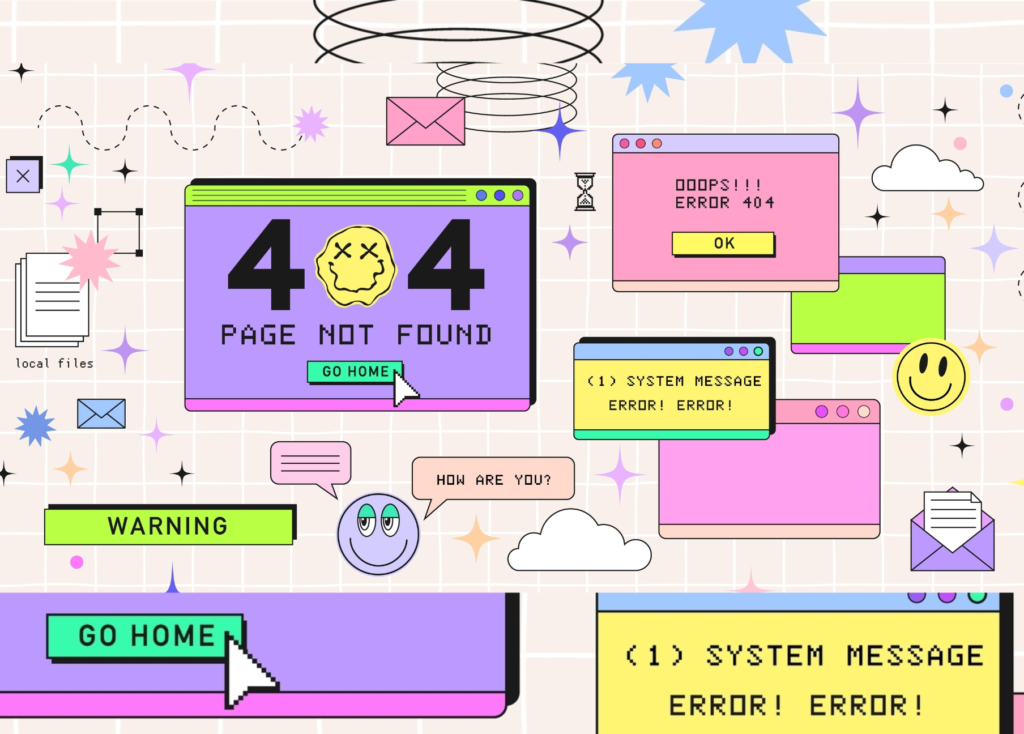
Free broken link checker might seem like a small issue, but they can quietly sabotage your SEO, reduce your site’s credibility, and frustrate your visitors. Think of broken links as potholes on a smooth highway—one or two might not ruin the ride, but too many will make people turn back.
What Are Broken Links?
A broken link is any hyperlink that points to a page that no longer exists or cannot be accessed. When users click these links, they land on a 404 error page instead of the content they expected.
Why Broken Links Harm Your Website
Broken links hurt your website in multiple ways:
They disrupt the flow of navigation.
They make your site appear outdated.
They can result in lost ranking positions.
How Broken Links Affect User Experience
Imagine trying to open a door and finding it locked every time. That’s how users feel when they click on a broken link. Poor experience leads to increased bounce rates.
Types of Broken Links
Internal Broken Links
These are links pointing to pages within your own website that no longer work.
External Broken Links
These occur when you link to third-party websites, but the destination URL is changed or removed.
Broken Image Links
If your website shows a blank box instead of images, it’s a broken media or image link.
404 Page Errors
The classic “404 Not Found” error indicates the target page is missing or moved.
Common Causes of Broken Links
Deleted Pages
When you delete a page but forget to update or redirect its URL, any existing links pointing to it break instantly.
Typographical Errors in URLs
Even a missing letter or “/” symbol can ruin a link.
Website Migration Issues
Changing CMS platforms or hosting providers can affect URLs if not handled carefully.
Changed URL Structure
If you redesigned your website or updated permalinks, old URLs may no longer match.
How to Find Broken Links
Using Google Search Console
Google Search Console’s “Coverage” report allows you to see URLs returning ‘404 not found’ errors, making it easy to locate broken links.
Using Screaming Frog
Screaming Frog crawls your website like a search engine and generates a complete list of broken internal and external links.
Using Ahrefs or SEMrush
These premium SEO tools provide advanced site audit features that detect broken links quickly.
Online Broken Link Checkers
Tools like:
BrokenLinkCheck.com
Deadlink Checker
W3C Link Checker
These are great free options.
Manual Checking Methods
This includes testing links manually or browsing your site frequently to spot issues.
How to Fix Broken Links
Update the URL
If the content still exists somewhere else, simply update your link to the correct URL.
Redirect the Link (301 Redirects)
A 301 redirect sends visitors to the updated page, preserving SEO value.
Replace the Link with an Alternative
If the page is permanently gone, replace it with another relevant and high-quality resource.
Remove the Link Entirely
When no replacement is available, removing the link is the safest choice.
Tools to Help You Fix Broken Links Faster
WordPress Plugins
Broken Link Checker
Rank Math SEO Tool
Yoast SEO (Limited broken link checking)
Chrome Extensions
Check My Links
LinkMiner
These browser extensions highlight broken links directly on the page.
Desktop & Cloud-Based Tools
Screaming Frog
Sitebulb
Semrush Site Audit
Best Practices to Prevent Broken Links
Regular Site Audits
Make broken link checking a monthly habit.
Maintain a Clean URL Structure
Use simple, descriptive URLs and avoid changing them without reason.
Avoid Frequent Deletions Without Redirects
Whenever you remove a page, set up a 301 redirect.
How Broken Links Impact SEO
Google’s Perspective on Broken Links
Google doesn’t penalize your website directly for broken links, but it can still harm your overall ranking potential.
How Broken Links Reduce Crawl Efficiency
Search engine crawlers waste resources on dead URLs, slowing down indexing.
Impact on Website Authority
Too many broken links reduce user trust and weaken site authority.
Impt value :
- Finding a reliable free broken link checker is like discovering a hidden shortcut in a maze. We’ve all been there: you’re clicking through a site, eager for information, only to hit that frustrating “404 Not Found” wall. It’s a mood killer for users and a red flag for search engines.
- The good news is that you don’t need a massive enterprise budget to keep your site healthy. Tools like Screaming Frog (the free version is a goldmine for smaller sites) or simple browser extensions can crawl your pages and highlight those dead ends in minutes. Using these tools isn’t just about “fixing errors”—it’s about respecting your visitor’s time and making sure your SEO efforts don’t leak away through broken connections. A quick monthly scan keeps your digital doorstep clean and professional without costing a dime.
Conclusion
Free broken link checker may seem like minor errors, but they have a major impact on SEO, user experience, and website performance. By regularly checking, fixing, and preventing broken links, you create a smooth and trustworthy browsing experience for visitors. Remember, maintaining a healthy site is a continuous process—and broken link management should be a regular part of your SEO routine.
FAQs
1. How often should I check for broken links?
At least once a month is ideal for most websites.
2. Do broken links affect SEO directly?
Not directly, but they negatively impact crawlability and user experience.
3. Can external broken links harm my site?
Yes, they reduce trust and can affect the quality of your outbound link profile.
4. What is the best free tool for checking broken links?
Google Search Console and BrokenLinkCheck.com are great free options.
5. Are 301 redirects good for fixing broken links?
Yes, they help maintain SEO value while guiding users to the correct content.